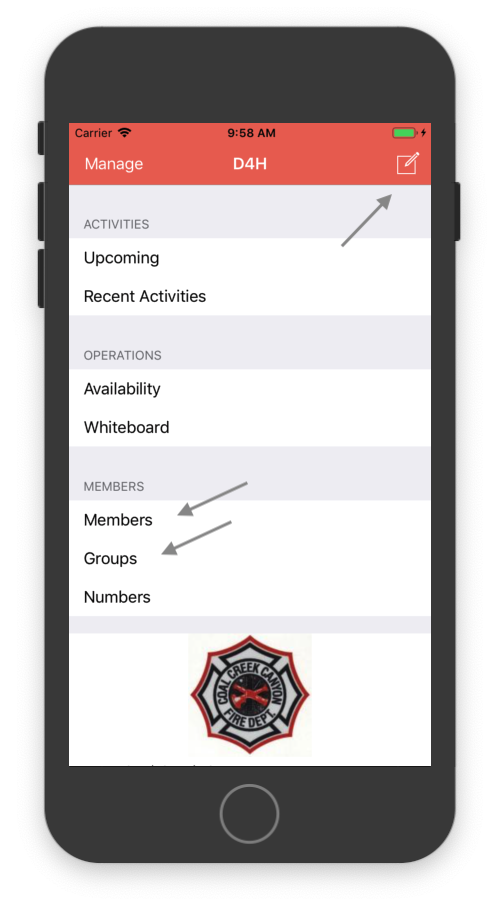
Working with D4H groups

Some response teams use mailing lists to communicate with their members, and some create mailing lists per “group” (e.g. officers, leadership, etc.) within their organization, including for qualification groups; divers, drone pilots, EMTs, etc. etc.

Using groups within D4H allows you to reference members by name (their profile) and only have to manage the email address once within D4H, not once per mailing list. You can view members in a group and/or the groups a member is within. As things change (and things continually change; members retire, members get qualified and/or promoted) you can easily maintain D4H groups accordingly.

In D4H you can create as few or as many groups as you like, naming them as suits your purpose. You can create a Dive Team group, an Officers group, a per Station group, as required. You can set requirements on groups (ensuring you have a given number of such members on duty) and you can collaborate with groups. D4H allows you to message a group, sending to only those within that group.

Using groups make D4H more valuable for your organization.

Response Utilities, our mobile application for D4H allows you to quickly/easily view members within groups, and also send email and/or messages (if all members of the group have a mobile phone number registered with D4H) to all members of a group from anywhere you need. (See communications for how.)

Reviewing activities…

Response Utilities allows access to your agency’s incident and exercise information. Look at past incidents and their details, look at past training exercises (or events) and view attendance.

Were you active on the incident but your participation failed to get recorded? Did the report writer mishear details over the radio and hence misreport apparatus or important details of the response? Did you not get JPR (job performance review) credit from an exercise?

The more personnel that review past incidents – and soon after they occur – the more accurate the reports will be. That helps you, and the whole organization.

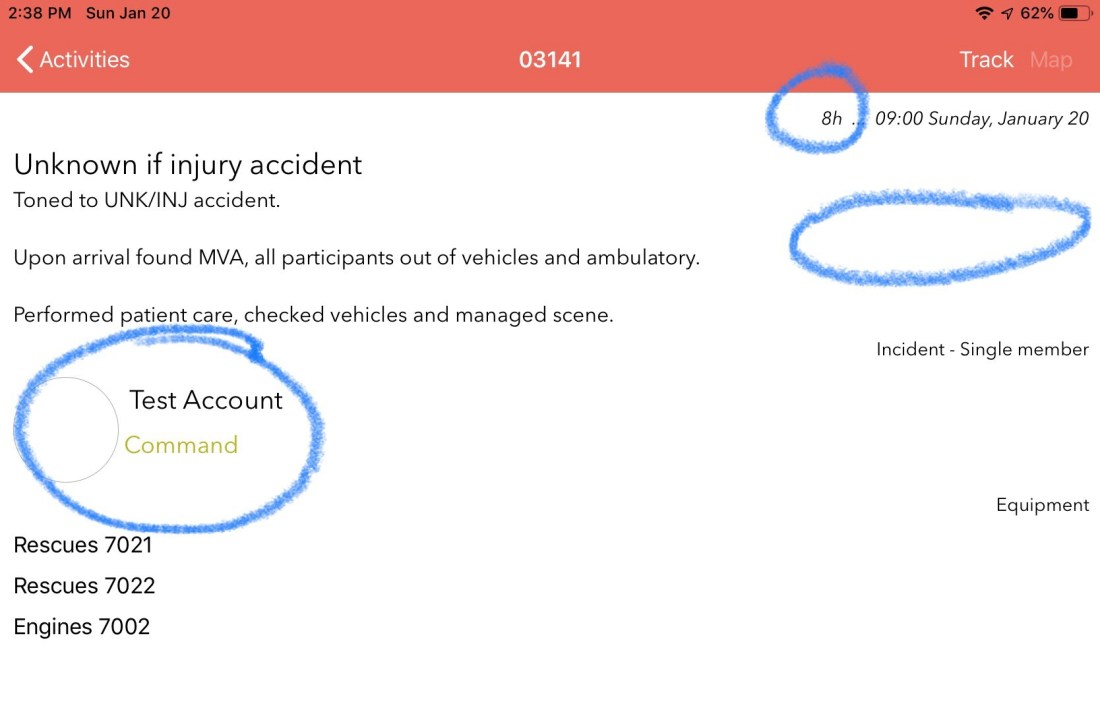
Use Response Utilities to check the time of the incident or exercise, as well as the duration. Check participation, including a quick scan of participants faces. (The current user is shown first, otherwise those with identified roles – e.g. command or instructor – come first.) check if the activity is still draft (shown as blank below) or has been published.

Communications

Response teams need to communicate to be effective as a coordinated team. Teams are usually well served during an incident with dispatch alerts to pagers / minitors, radio traffic for operational communications, and face to face AARs (after action reviews) to review the incident. Outside the incident, however, teams do less well at group communications.

Teams often use email mailing lists of manually managed text groups to communicate which work, but require additional maintenance effort to keep up to date. D4H facilitates communications with D4H collaborations within the system, and the ability to communicate to a group outside the system. These work well when one is at a computer.

Response Utilities for D4H leverages the up to date information in the D4H database to put similar capabilities in your pocket. Use Response Utilities to message individuals, message groups and/or any combination of the two.

Don’t limit your communications because you are broadcasting to too wide a group and don’t want to spam everybody. Communicate from your mobile device (using email or messaging) by sending to just the people who need to be included. Send to the new group of trainees, and copy the training officer. Send to the officers. Send to individuals. Communicate easily and precisely.